 anmerko
Screenshot comments
Use a screenshot comment for feedback about how something looks: a region of the screen, or the whole page.
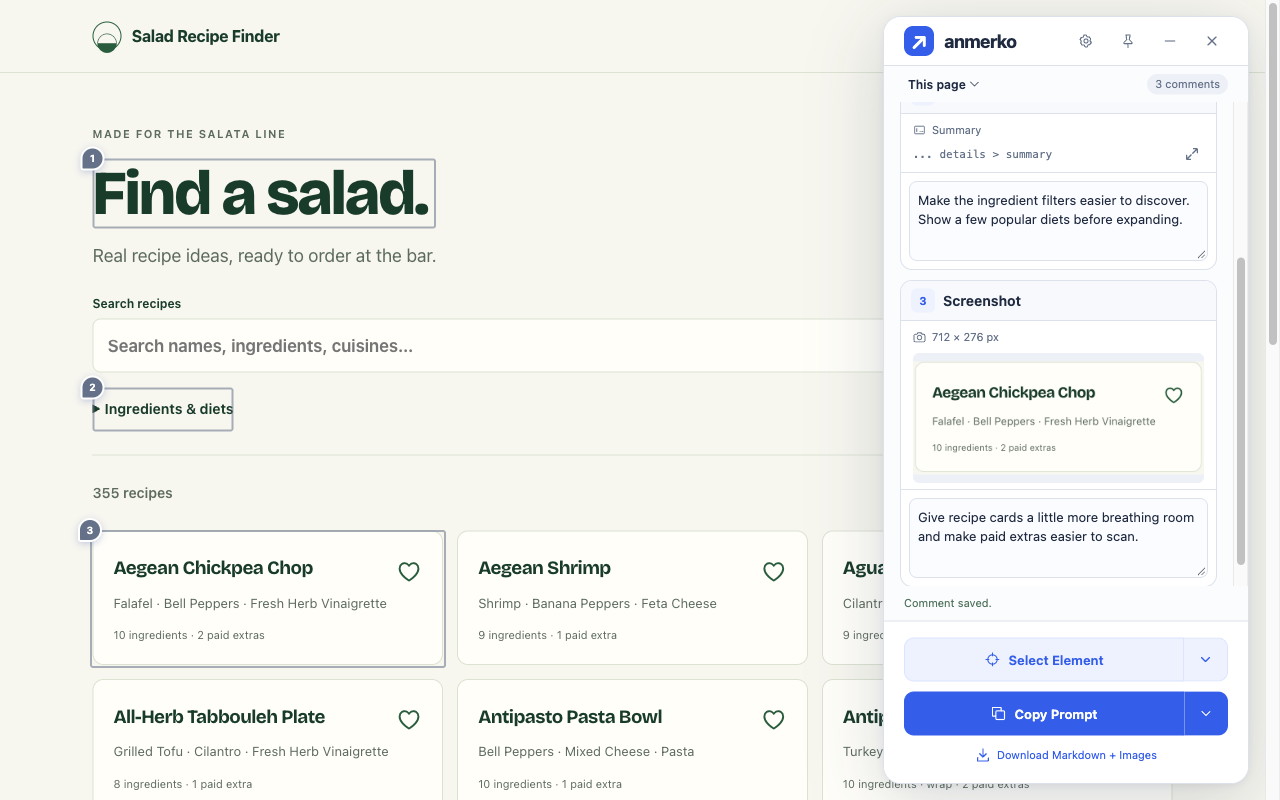
Capture a region
Section titled “Capture a region”- Position the page and choose Take Screenshot.
- Drag over the region you want to capture. Move the box or drag its corners to adjust it.
- Choose Use Screenshot, write your feedback, and save it.
Keyboard controls
Section titled “Keyboard controls”| Key | Action |
|---|---|
| Arrow keys | Move the box |
| Arrow keys on a focused corner | Resize the box |
| Shift + arrow keys | Move or resize by ten pixels |
| Esc | Discard the capture |
Switching tabs, scrolling, or resizing the viewport during capture also cancels it.
Capture the full page
Section titled “Capture the full page”- Choose Take Screenshot, then Full Page.
- anmerko scrolls from the top of the page to the bottom, capturing one screen at a time, then returns you to where you were.
- Write your feedback in the comment editor and save it.
Keep the tab in view until the editor opens. Capturing takes about two-thirds of a second per screen of page.
What to expect:
- Fixed and sticky elements, such as headers, appear once at the top instead of repeating down the image.
- Very long pages are scaled down to fit in one image. Pages taller than about 65,000 pixels are captured from the top until the image reaches that limit.
- Content inside separately scrolling panels is captured as it currently appears.
After saving
Section titled “After saving”Locate returns to the saved region, or to the top of the page for a full-page screenshot.
anmerko stores only the final image, not the full screen behind a crop or the frames used to stitch a full page:
- Region: a PNG up to 2,400 pixels on the longest side and about 2 MB.
- Full page: a PNG, or a JPEG when a PNG would exceed about 2 MB. It is scaled down only if still needed.
Both are also subject to browser storage limits.
Share with your agent
Section titled “Share with your agent”When you send screenshot feedback to your agent, download the ZIP and attach the matching image files separately.
Review each image before sharing. It includes everything visible in the selected region or page, including form values and embedded frames.