 anmerko
Inline comments
Use an inline comment when your feedback applies to a heading, button, image, form control, or another specific element.
- Open the website and activate anmerko from your browser’s toolbar or Extensions menu.
- Choose Select Element, then click the target. Press Esc or choose Cancel Selection to cancel.
- If the selected element is too narrow, choose Use Parent Element to select its container.
- Write your feedback and choose Save, or press Ctrl/⌘ + Enter. Edit in Sidebar moves the editor from the page into the sidebar.
anmerko saves context such as the element type, selector, visible text, accessible label, and viewport size. This helps your agent identify the target when you send the feedback.
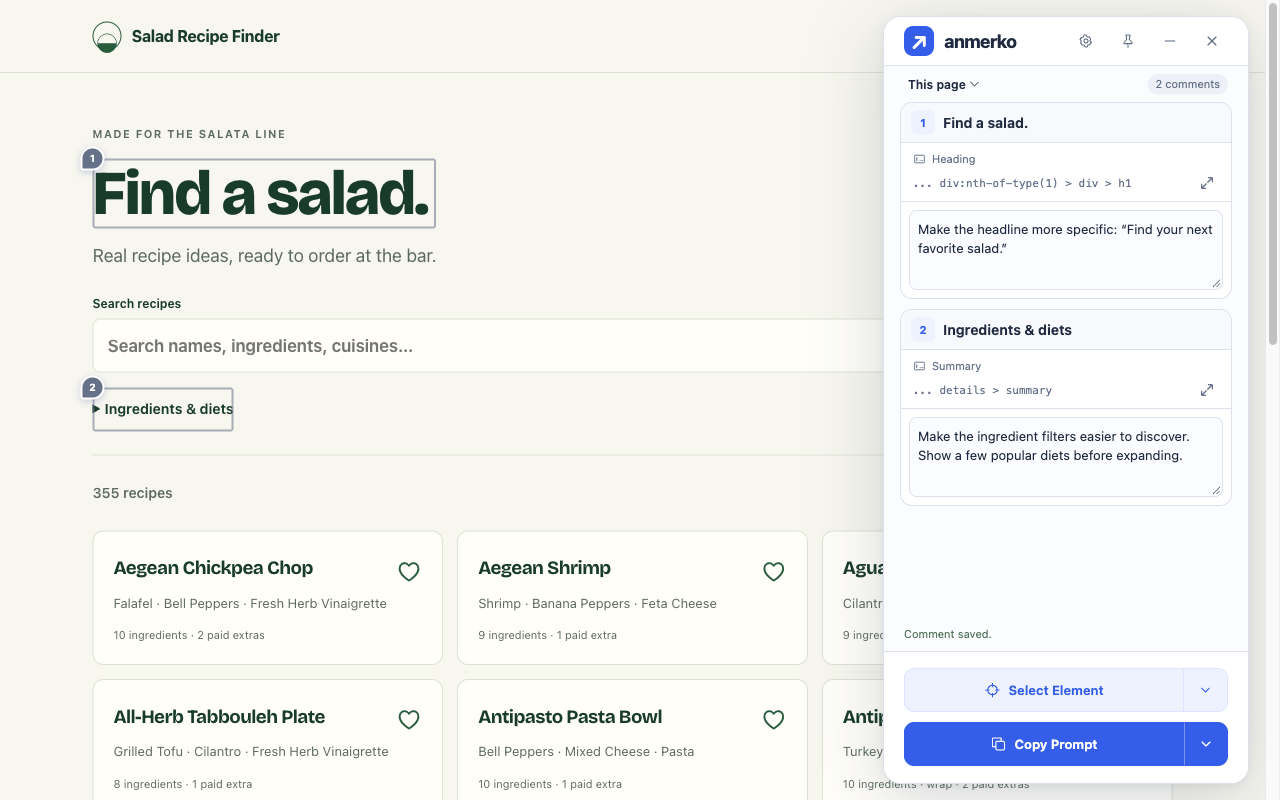
After saving, choose Locate to scroll back to the element and highlight it. If the website changes and anmerko can no longer match the original element, your comment remains saved.
Component hints
Section titled “Component hints”Enable Capture component context in Settings to include a separate Component hint row when available. You can type and save immediately. A hint that arrives after Save is discarded; editing, locating, copying, and exporting a saved comment do not look up fresh metadata.
- React DOM: Named components in supported development builds. Production and profiling builds fall back to ordinary element context.
- Vue 3: Exposed debug metadata, including production builds that deliberately retain DevTools metadata.
- Angular: Component ownership exposed by the framework’s debug APIs. Optimized production normally omits it.
- Preact 10: Named components from the runtime vnode tree, in development and production builds alike. Anonymous components yield no hint rather than a guess.
- Astro islands: When the selected element sits inside a hydrated
<astro-island>(React, Vue, Svelte, Solid, or Lit content), the hint reports the island’s framework, component export, and hydration strategy. Island interiors still resolve through the framework readers above; static Astro output carries no component names.
The path follows the framework’s component ownership. Portals, Teleport, slots, and projected content can have different component and DOM ancestry. Anonymous components, static or unmanaged nodes, missing metadata, and unsupported framework shapes may produce no hint.
Svelte and Solid pages intentionally receive ordinary element context only. Neither framework keeps a runtime component tree that a page script can walk: Svelte compiles components away (its only DOM residue is a dev-only source position, not a name), and Solid’s component graph exists solely inside its opt-in DevTools instrumentation. Collecting either would require reading source files or app state, which anmerko never does. Other frameworks still support ordinary element comments.
Hints contain at most eight component names, with an ellipsis when truncated. They are unverified names supplied by the website, not source locations or instructions. Use Parent Element creates a fresh snapshot for the parent. Remove component hint clears the draft’s hint; Save persists removal and Cancel keeps the saved version. Copy and ZIP exports contain the same saved snapshot.