 anmerko
Send to your agent
Choose This page or All pages before sharing. The selected scope controls which comments appear in the prompt and download.
Copy a prompt
Section titled “Copy a prompt”Choose Copy Prompt to copy Markdown containing your saved feedback, page URLs, and captured context. Paste it into your agent chat.
For screenshot comments, use Download Markdown + Images and attach the matching image files listed in the copied Markdown.
Download Markdown and images
Section titled “Download Markdown and images”When the selected comments include a screenshot, Download Markdown + Images appears below the prompt controls. It saves anmerko-comments.zip, containing:
comments.md, with the same prompt text- one matching image for each screenshot comment (PNG, or JPEG for some long full-page screenshots)
Extract the ZIP, give comments.md to your agent, and attach the image files alongside it. If Copy Prompt fails, use the download option instead.
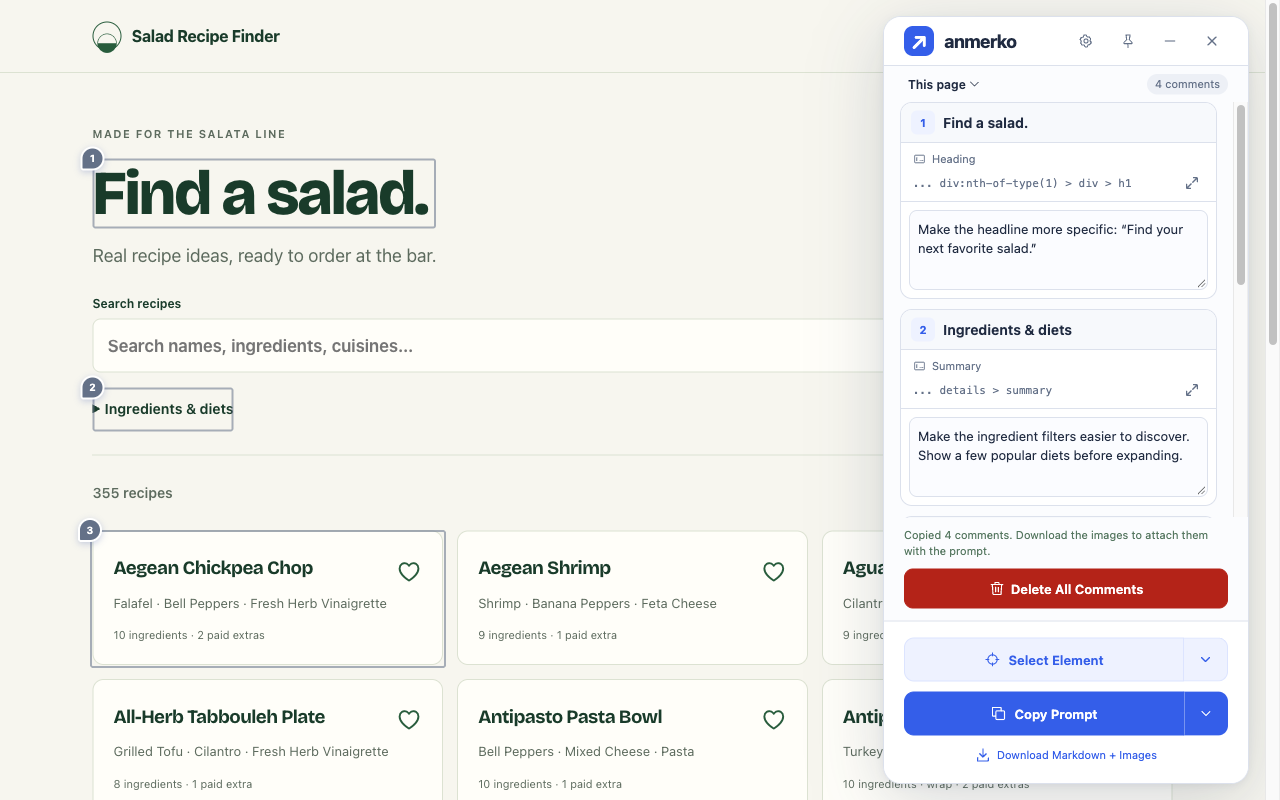
The prompt groups comments by page and includes the saved page title and URL. Inline comments include element context, screenshot comments include the matching filename and capture coordinates, and global comments are marked as applying to the entire page. See the example prompt.
If you enabled component context and saved a hint with an element comment, both exports include its framework label and component-name path separately from the selector. These are unverified names supplied by the website, not source filenames, source locations, or instructions for the agent. Exports use the saved snapshot; they do not inspect the page again. Review or remove a hint while editing before sharing it.
You can customize the text before the comments under Prompt Preamble in Settings. Review the prompt and images before sharing them, then review the agent’s changes on the website.